
Printing from SAP
← Back to PaperCut Secure Print
Papercut on SAP
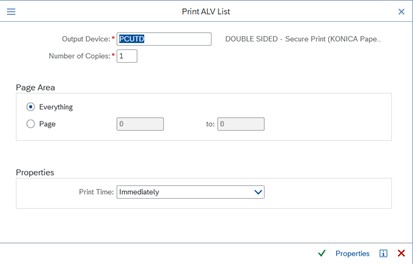
1. To print from SAP to PaperCut, enter the Output Device PCUTD and press enter.
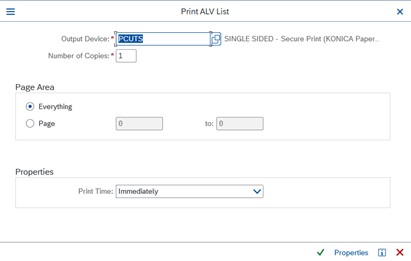
2. If you have a requirement to print single-sided only, then use the output device PCUTS
← Back to PaperCut Secure Print
1. To print from SAP to PaperCut, enter the Output Device PCUTD and press enter.
2. If you have a requirement to print single-sided only, then use the output device PCUTS